01
No red badges.
Missed something? OYD finds it a new time instead of shaming you with an overdue count.
When everything feels equally important, nothing gets your full attention.
OYD turns everything on your mind into one realistic day, planned around your calendar, and replans when life changes.
FOR IPHONE
Everything on your mind becomes one realistic day. OYD plans it around your calendar and replans when life changes.
Download on the App Store iOS 17 and upTHE WEIGHT
A meeting to prep for. A gift to buy. An email you forgot to answer. A deadline next week. A dentist to call. Each one is small. Together they never stop.
Most people aren't lazy. They're overloaded.

HOW IT WORKS
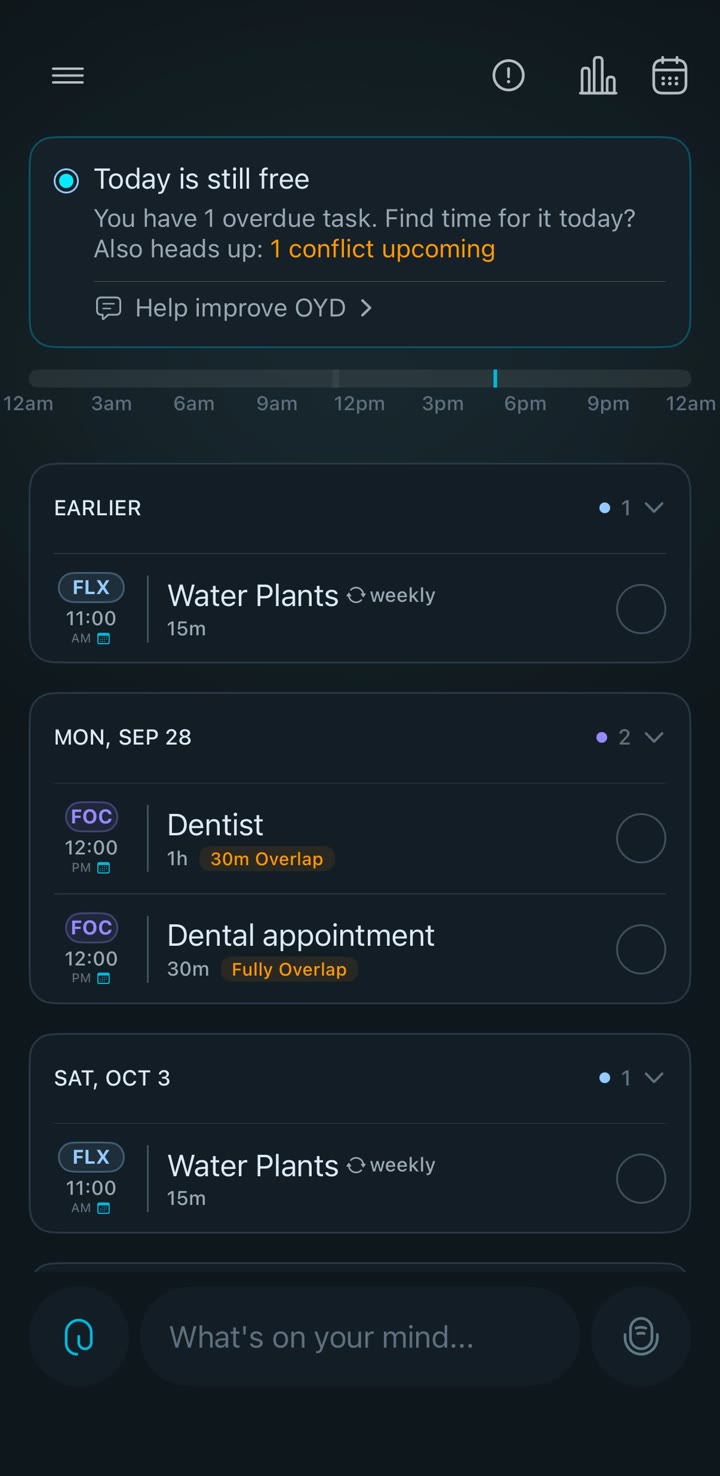
01 · CAPTURE
Type it, say it, or share a screenshot of the chat. OYD pulls out the tasks, the deadlines, and who you promised.
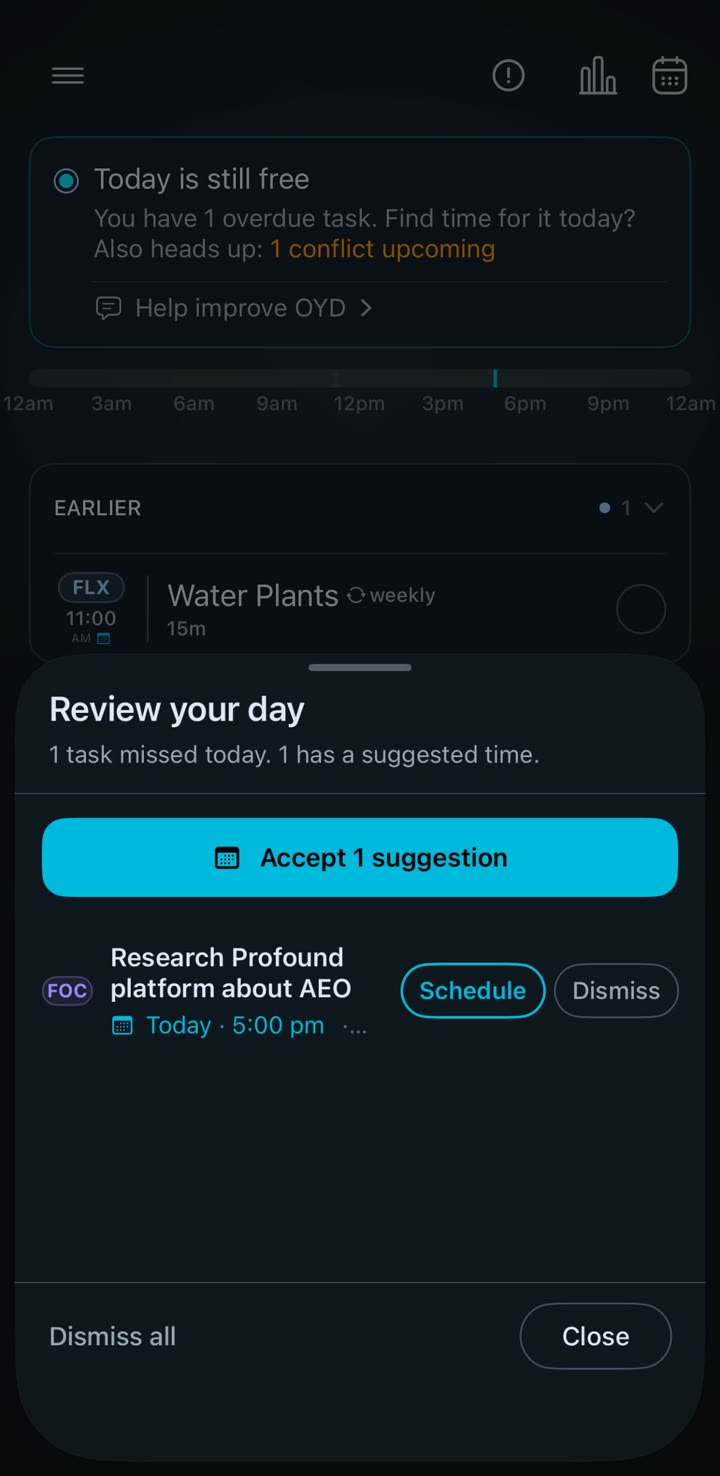
02 · PLAN
OYD sorts everything into In Focus, Flexible, or Light Touch, then plans around your meetings. Something runs late? It suggests a new time and you accept it in one tap.
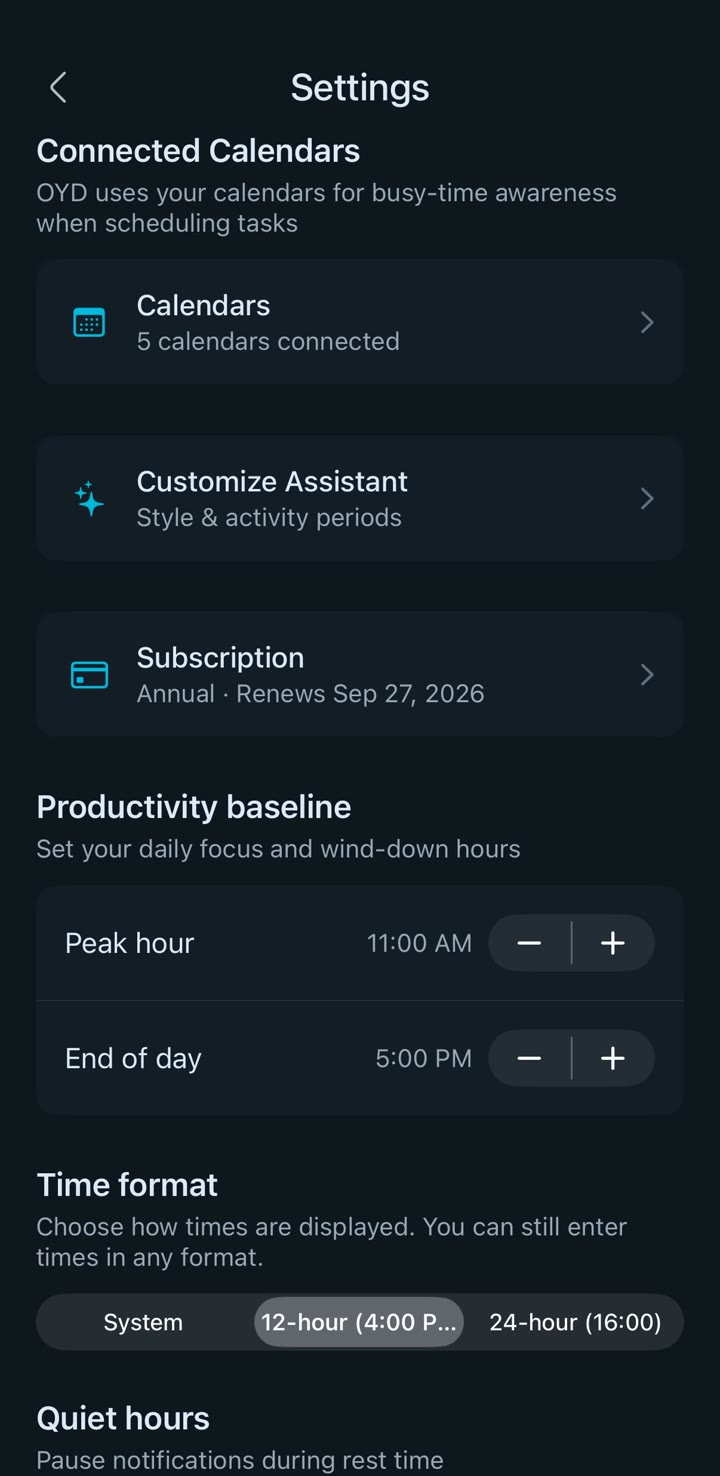
03 · SET YOUR LIMITS
Peak hour, end of day, quiet hours. OYD plans inside the limits you set, and never fills a day just because it can.
TRY THE IDEA
Nine tasks sorted into three lanes. In Focus: Finish the proposal, Call the dentist, Pay the deposit. Flexible: Reply to client emails, Book the flights, Read the strategy doc. Light Touch: Water the plants, Buy a birthday gift, Organize the garage.
Three lanes. One clear next step.
WHY OYD
01
Missed something? OYD finds it a new time instead of shaming you with an overdue count.
02
Your calendar sets the limits. OYD schedules around meetings, not through them, and quiet hours stay quiet.
03
No desktop setup, no projects to configure, no system to maintain. Tell it what's on your mind and go.
FROM REAL USERS
“Now I know what to focus on instead of staring at a huge list.”
“When my day changes, OYD figures out the rest for me.”
“I get everything out of my head and OYD turns it into a plan.”
“It tells me what to do next. That’s what I was missing.”
“I finally have a plan that adjusts when real life gets in the way.”
INSIGHTS
OYD notices when you finish things, how long they really take, and what you keep pushing. Then it plans with that in mind.
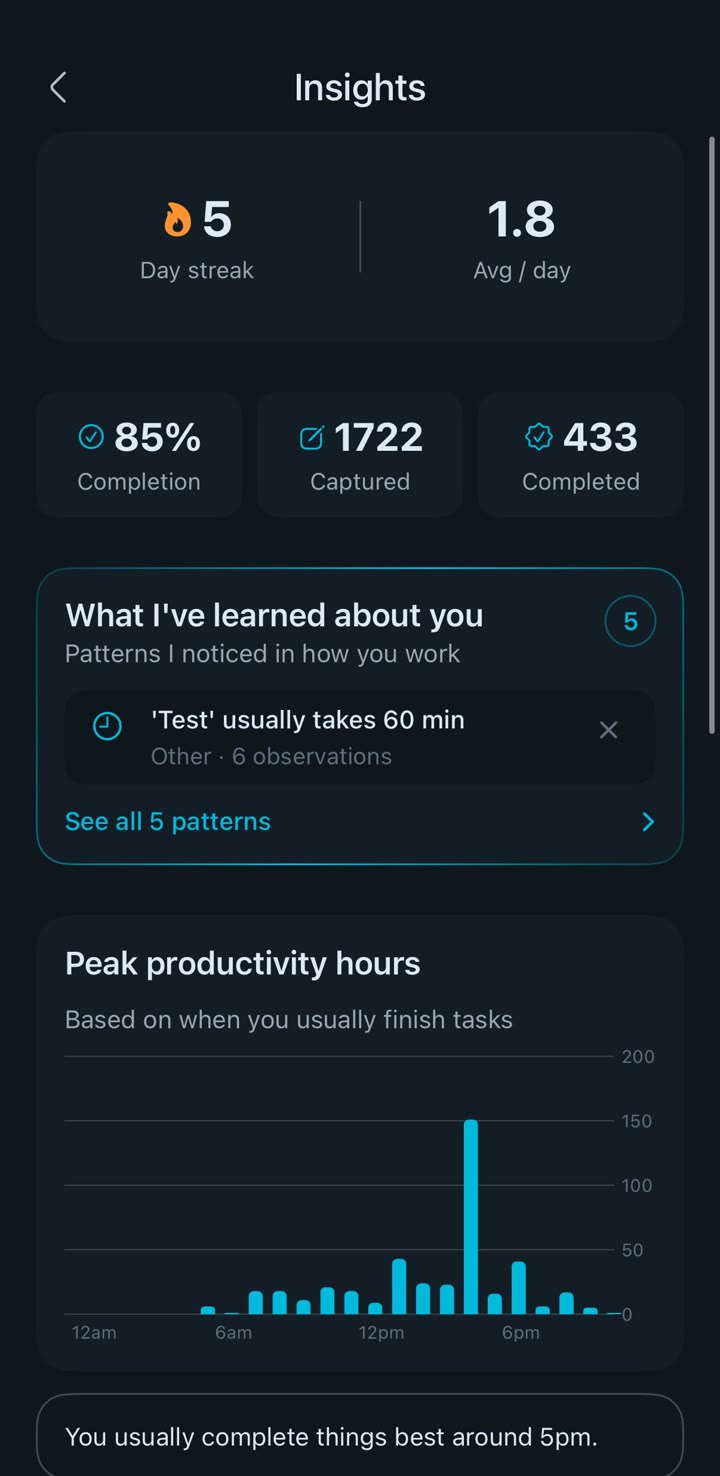
A REAL SCREEN, NOT A MOCKUP
PRICING
$9.99 a month, or $99.90 a year.Capture, planning, replanning, insights. Nothing held back.
Billed through your Apple ID. Cancel anytime.
Download on the App StoreQUESTIONS
No. Nothing is read in the background. You choose what to share: type it, speak it, paste it, or share a screenshot from any app. OYD only sees what you hand it.
No. OYD plans inside the gaps your calendar leaves, respects your peak hours and your end of day, and keeps quiet hours quiet. If something doesn't fit, it tells you instead of cramming it in.
It doesn't turn red and pile up. OYD suggests a new time, and you accept it with one tap or pick your own.
Yes. Google, Outlook, and Apple calendars connect in Settings. OYD reads them for busy time and writes tasks to its own calendar. It never edits calendars it doesn't own.
The apps people quit need daily upkeep. OYD needs one sentence. There are no projects to set up and no system to maintain, so there is nothing to fall behind on.
iPhone, on iOS 17 or later.
FROM THE BLOG
· 3 MIN READ
Overwhelm rarely comes from how much you have to do. It comes from a list where nothing has a rank. Here is why that happens, and the small change that fixes it.
Read the postGET STARTED
Tell OYD what's on your mind. Get one realistic day back.
Download on the App Store For iPhone · iOS 17 and up